Free Mute and Hide
Silence matching audio and move matching tabs out of sight in one action.
BROWSER PANIC BUTTON
Instantly hide and mute every matching tab while leaving unrelated tabs open.
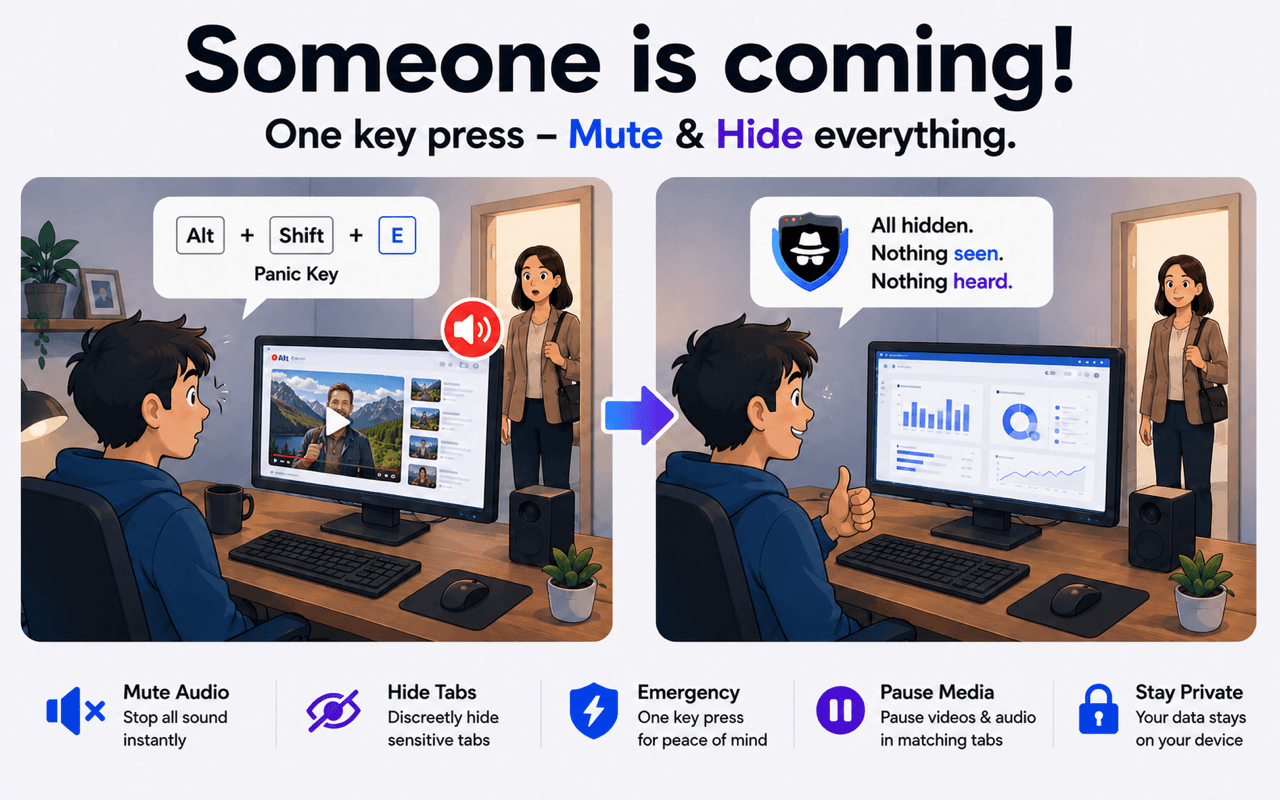
A browser panic button gives you one fast, customizable shortcut for hiding and muting matching tabs across Chrome, Edge, and Firefox.
THE PROBLEM
Searching through a crowded tab bar is slow, and muting only one tab may leave another making sound. SBA applies your chosen panic action to every tab matching your own rules.
BEFORE → ACTION → AFTER
HOW IT WORKS
Add the websites, domains, URLs, or page-title keywords you want SBA to recognize.
Use the free Mute and Hide action, or choose Close matching tabs with Premium.
Assign a keyboard combination you can reach quickly in your browser's extension shortcut settings.
SBA acts on all current matches together without disturbing unrelated tabs.
Silence matching audio and move matching tabs out of sight in one action.
Choose to close all matching tabs when hiding is not enough.
You decide which websites and page-title keywords the Panic Button affects.
Trigger the Panic Button without opening the extension popup.
The SBA Panic Button is available on Chrome, Edge, and Firefox. Mute and Hide is free; Close matching tabs requires Premium.



It is a fast browser-extension action that hides, mutes, or closes selected tabs when you press a customizable shortcut.
No. SBA acts only on tabs matching the keywords, domains, URLs, or page-title rules you configure.
Yes. The Mute and Hide Panic Button action is free. Closing all matching tabs with the Panic Button is a Premium option.
Yes. Chrome, Edge, and Firefox let you assign your preferred keyboard shortcut to the extension action.
Yes. Stealth Browser Assistant and its Panic Button are available for all three browsers.
Install Stealth Browser Assistant, define your matching rules, and choose a shortcut you can press instantly.
Get the Panic Button