Keep tabs open
Mute audio without closing the underlying page.
MUTE BROWSER TABS
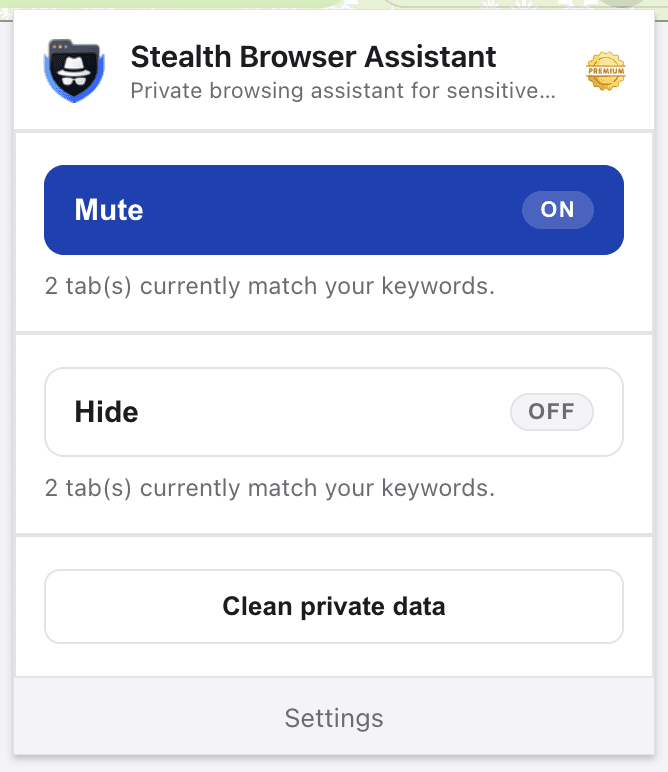
Silence matching browser tabs without closing them or searching for the noisy tab.
THE PROBLEM
A video or ad can start while you are working, presenting, or sharing a computer. Use a shortcut to silence matching tabs immediately.
BEFORE → ACTION → AFTER
HOW IT WORKS
Use sites or words such as video services you want to control.
Choose the Mute action and set a keyboard shortcut.
Press the shortcut whenever matching tabs start making noise.
Mute audio without closing the underlying page.
Apply Mute to all tabs matching your configured rules.
Act without hunting through the tab strip.
Need more than silence? Hide and mute matching tabs together.
Mute matching tabs with SBA on Chrome, Edge, and Firefox.



Yes. The Mute action applies to open tabs that match your configured keywords.
No. Mute and Close are separate actions.
Yes. You control matching through your own keywords and website rules.
Yes. The Panic Button can combine both actions for matching tabs.
Install SBA and create a mute shortcut that matches your workflow.
Install SBA