One shortcut
Trigger the Panic Button without opening the popup.
CHROME PANIC BUTTON
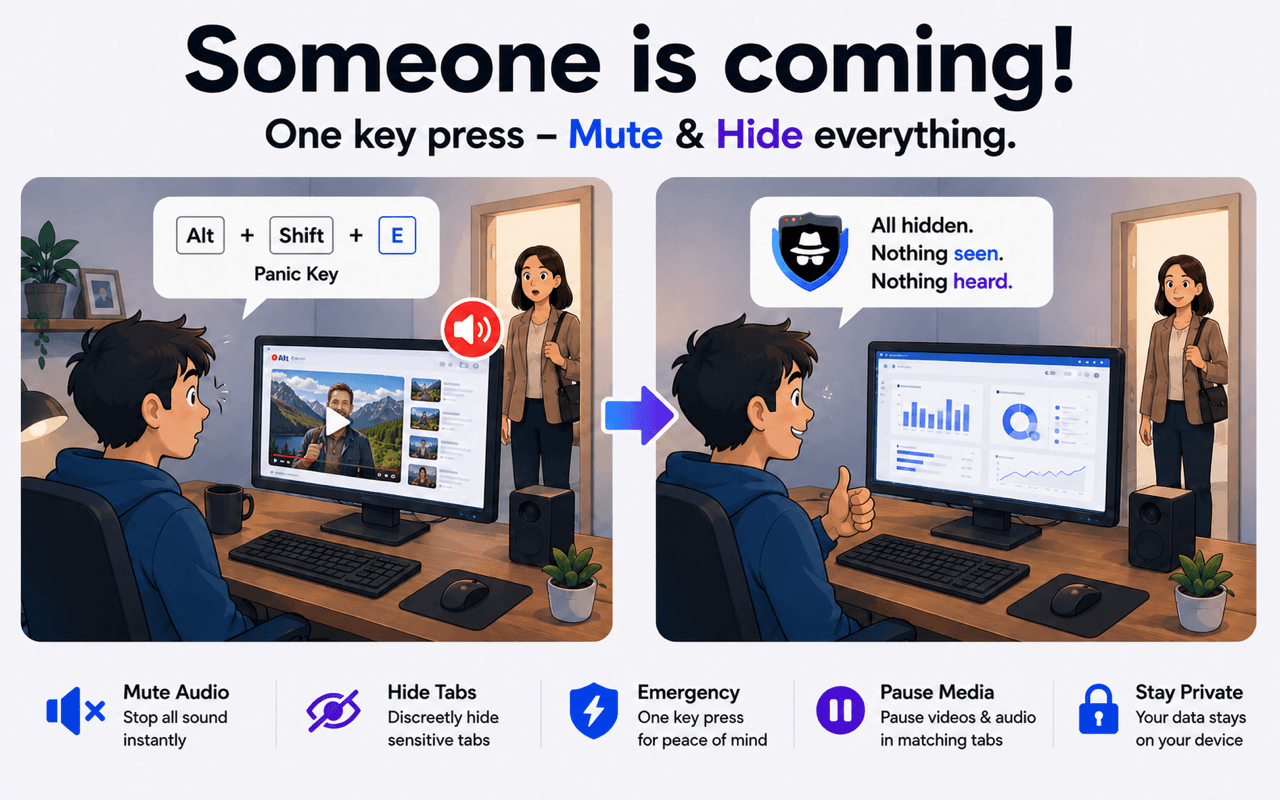
Someone walked in? Hide and mute selected tabs instantly with one keyboard shortcut.
THE PROBLEM
The Panic Button handles every matching tab in one action, so your visible browser and its audio change together.
BEFORE → ACTION → AFTER
HOW IT WORKS
SBA identifies open tabs using your own keywords and website rules.
Matching tabs disappear from the visible tab strip.
Audio from those matching tabs is silenced at the same time.
Trigger the Panic Button without opening the popup.
Handle several configured tabs in the same action.
Your keywords decide which tabs are affected.
Use Hide or Mute alone when you do not need both.
The Panic Button is available in SBA for Chrome, Edge, and Firefox.



It is a keyboard shortcut that quickly applies configured actions to matching browser tabs.
It can hide and mute all matching tabs in one action.
Only tabs that match your configured rules are targeted.
Yes. Configure extension shortcuts through your browser's shortcut settings.
Install SBA and configure your panic shortcut.
Set Up Your Panic Button