Hide tabs
Hide matching tabs without closing them.
HIDE BROWSER TABS
Keep private or distracting tabs out of sight with a single keyboard shortcut.
THE PROBLEM
Instead of closing your tabs one by one, hide matching tabs instantly and return to them when you are ready.
BEFORE → ACTION → AFTER
HOW IT WORKS
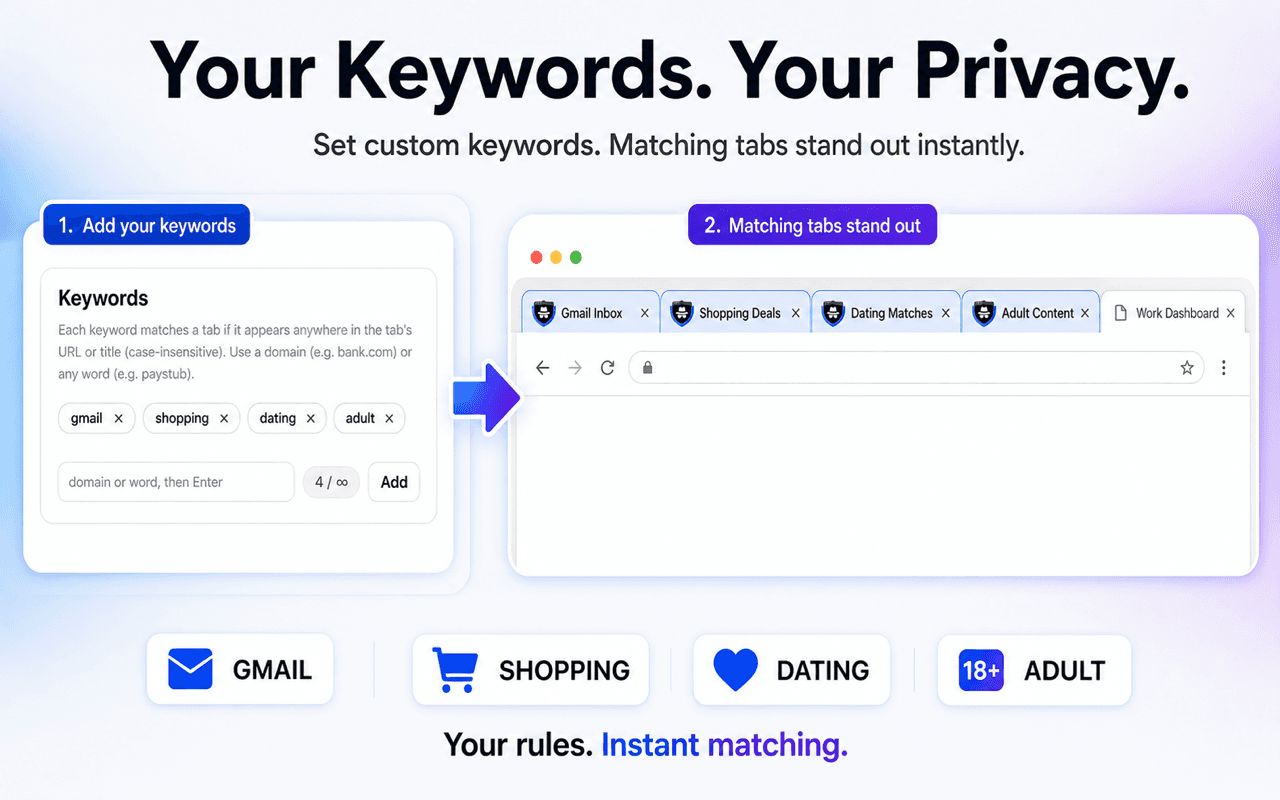
Add websites, domains, or words that identify the tabs you want to control.
Assign the Hide action to matching tabs in your settings.
SBA finds the matches and hides them without closing your whole session.
Hide matching tabs without closing them.
You decide which websites and page titles match.
Act without opening the extension popup.
Hide and mute matching tabs together when speed matters.
Available for Chrome, Edge, and Firefox.



Yes. SBA applies the selected action to every open tab that matches your configured keywords.
Yes. The Hide action removes matching tabs from view without using the Close action.
Yes. You create the keywords, domains, or title matches that SBA uses.
SBA is available for Chrome, Microsoft Edge, and Firefox.
Install SBA and set up your first shortcut in minutes.
Install Stealth Browser Assistant